
The Download: Claude’s inner workings, and the future of world models
Artificial Intelligence · July 14, 2026
Antigravity CLI is the newest agentic coding CLI from Google, replacing the now-deprecated Gemini CLI. It inherits the asynchronous subagent model that makes Antigravity stand out from the field, syncs bidirectionally with Antigravity Desktop, and is optimized for speed on Gemini 3.5 Flash.
DataRobot ships a full plugin for Antigravity CLI directly from the same open source repository that powers our Cursor, Claude Code, and Gemini CLI integrations. One install gives you the complete DataRobot skill set inside Antigravity’s agent and slash-command interface.
Install the DataRobot plugin with a single command:
agy plugin install https://github.com/datarobot-oss/datarobot-agent-skills.gitIf you’re still on Gemini CLI, the same repository installs there too:
gemini extensions install https://github.com/datarobot-oss/datarobot-agent-skills.gitAlready using the DataRobot extension in Gemini CLI and switching to Antigravity? Migrate it directly:
agy plugin import geminiOnce installed, the full DataRobot skill set is available including datarobot-setup and datarobot-agent-assist and can be invoked with slash commands like /datarobot-skills:datarobot-agent-assist

Debugging agents is hard. LLM calls return plausible-sounding output even when something has gone wrong, tool calls fail silently, and latency problems are invisible in the final response. Without structured trace data, the only option is log-hunting and guesswork.
To show how the DataRobot tracing skill works in practice, here’s a concrete example: a LangGraph agent in a single main.py file that manages bike workouts. It has several tools, produces inconsistent answers, and the root cause isn’t obvious from the conversational output alone.
Adding production-grade tracing to this agent takes a single skill invocation: /datarobot-skills:datarobot-external-agent-monitoring.
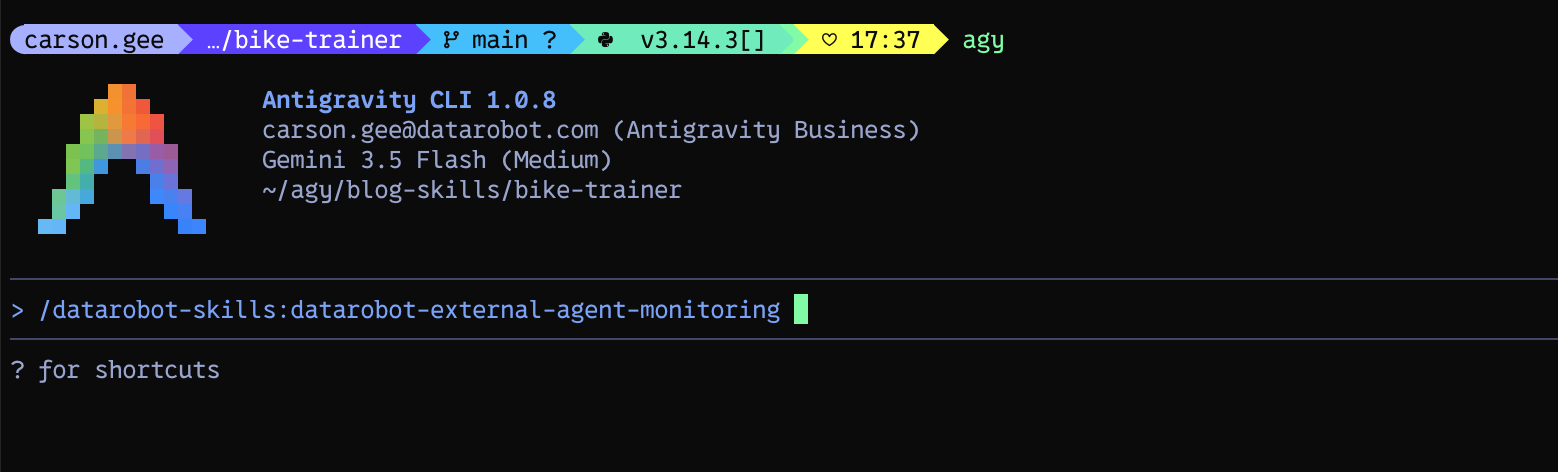
The skill provisions a new DataRobot Use Case, instruments the agent to emit traces via OpenTelemetry, and writes a monitoring_setup.md artifact with the runtime configuration steps.
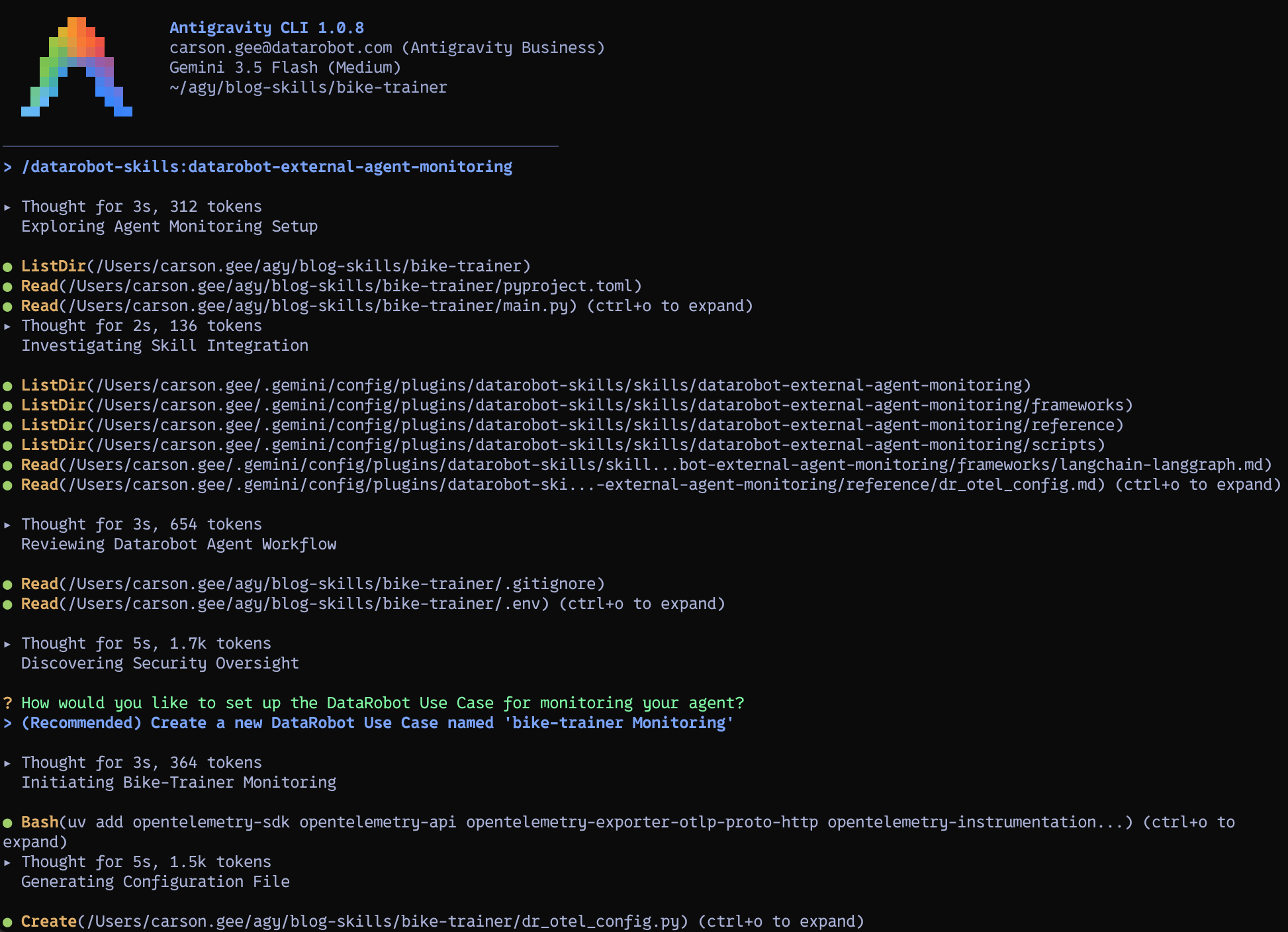
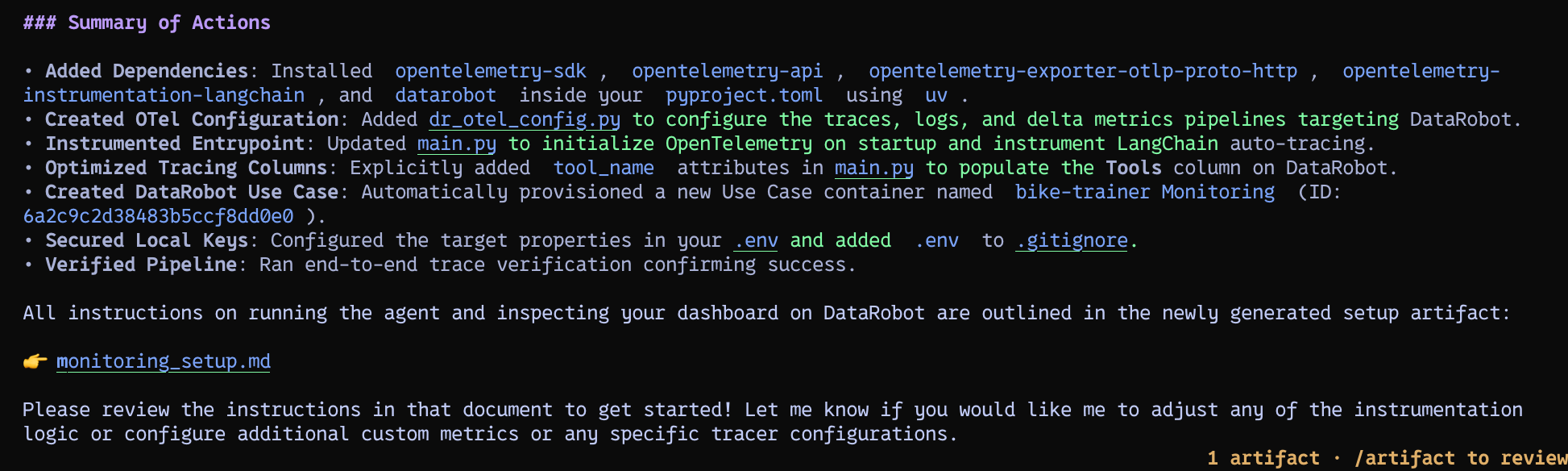
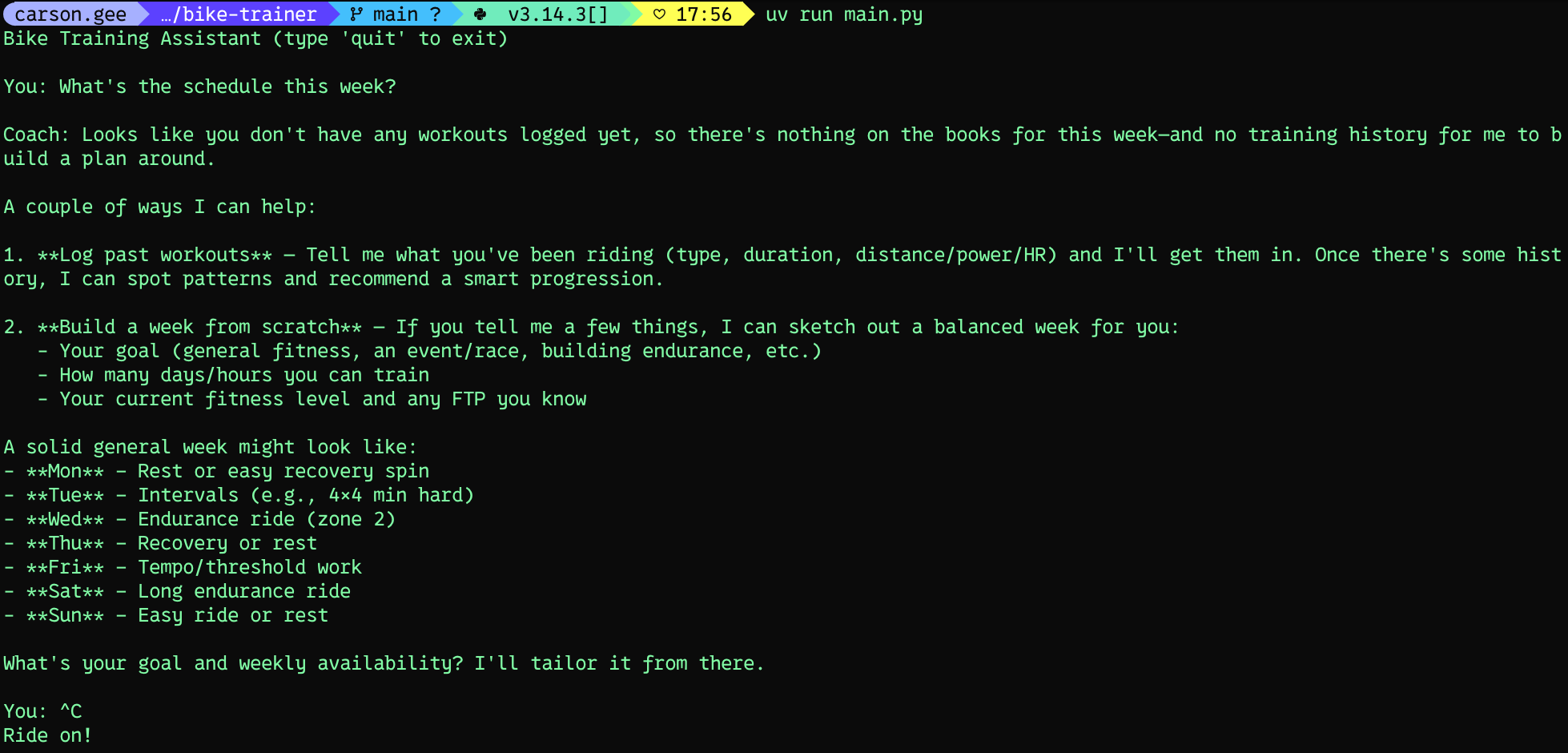
With instrumentation in place, run the agent and send it a question — in this case, “What’s the schedule this week?”
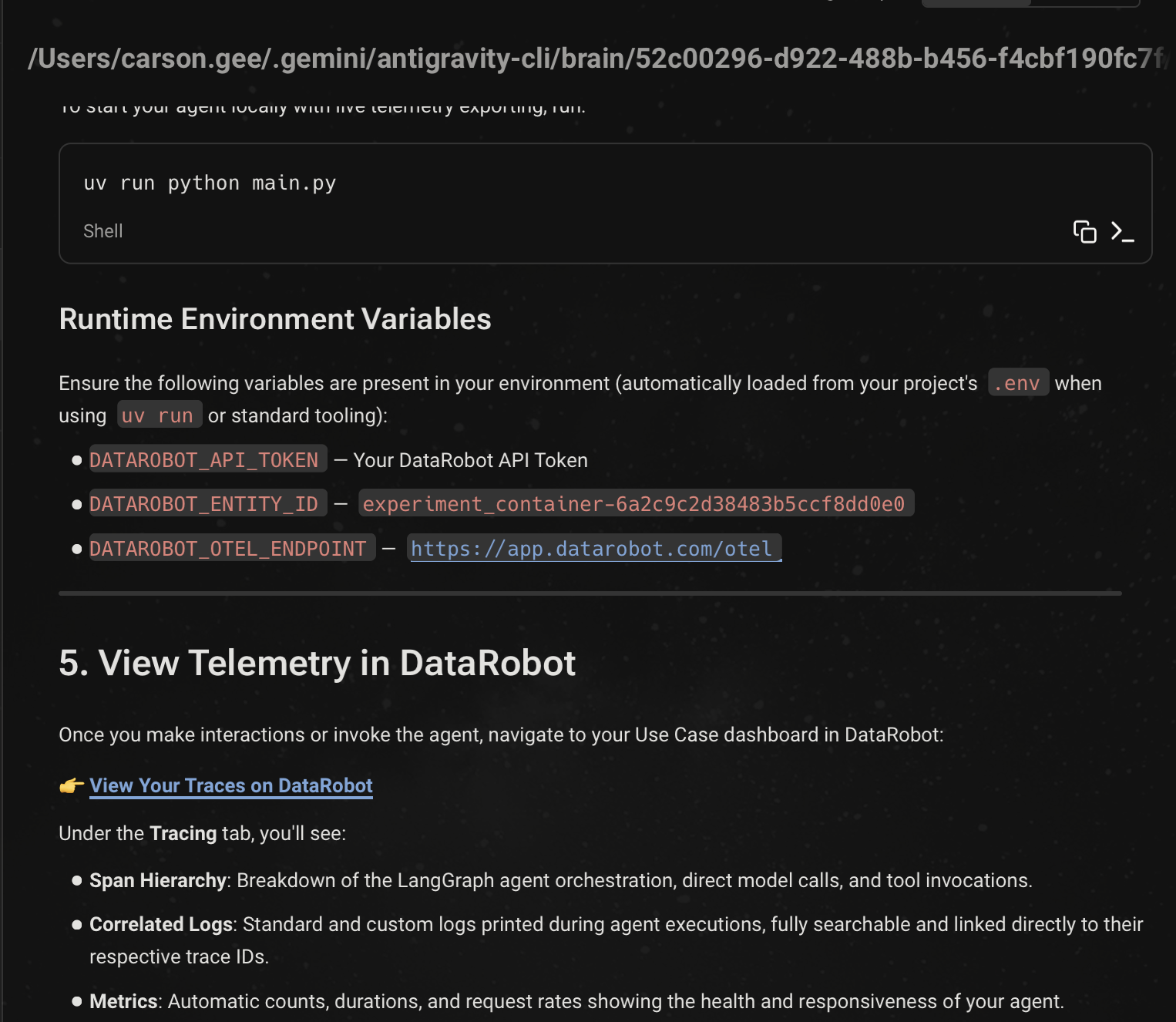
The skill generates setup instructions that include the Use Case entity ID and the environment variables needed to route traces to DataRobot:
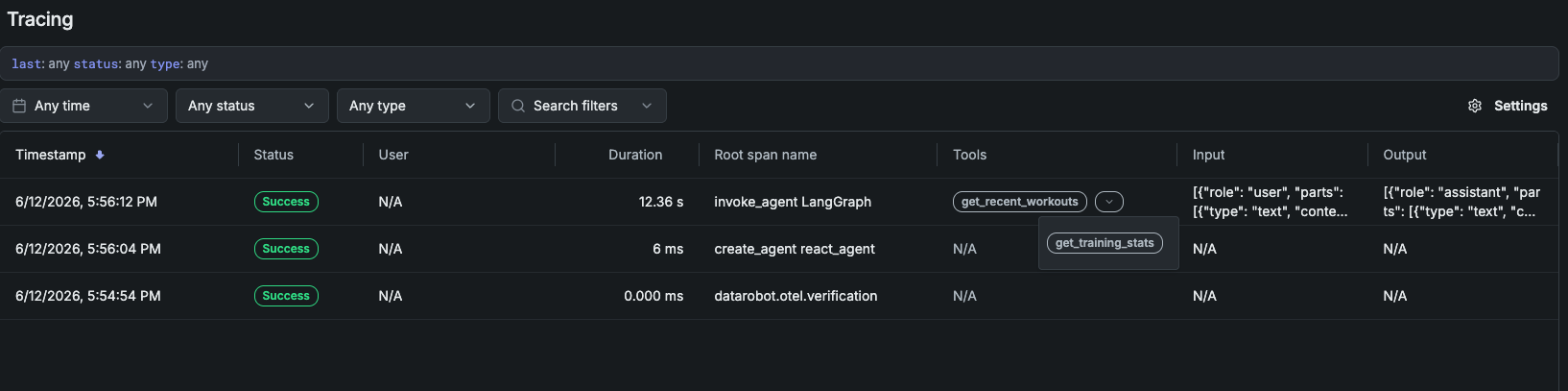
The DataRobot tracing interface surfaces the full request history. Each trace shows end-to-end latency, total token consumption, and the complete span tree:
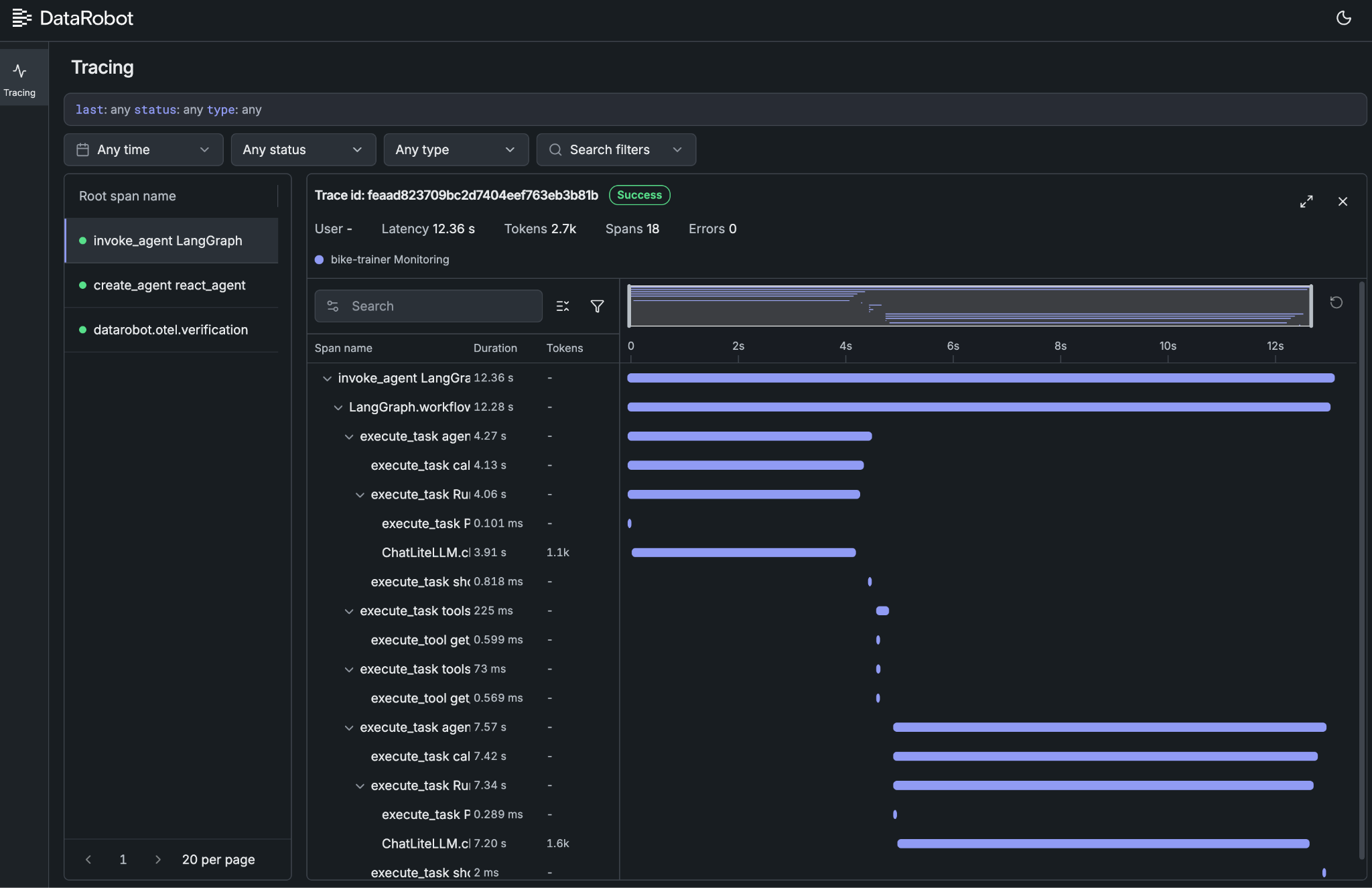
Drilling into the “schedule this week” request reveals the full picture: 2,700 tokens consumed, tool-level latency for each call, LLM invocation count, and any custom attributes emitted via standard OTel instrumentation. This is the data that makes debugging tractable, not inference from final output.
For local development, the DataRobot CLI surfaces trace updates in real time: dr plugin install xp followed by dr xp --entity-id=<use_case_id>. This creates a tight iteration loop — run the agent, inspect the trace, fix the issue, repeat.
In this case, the span output makes the root cause explicit: the agent lacks calendar access, which is why it couldn’t answer the scheduling question. That failure wasn’t surfaced in the agent’s conversational response:
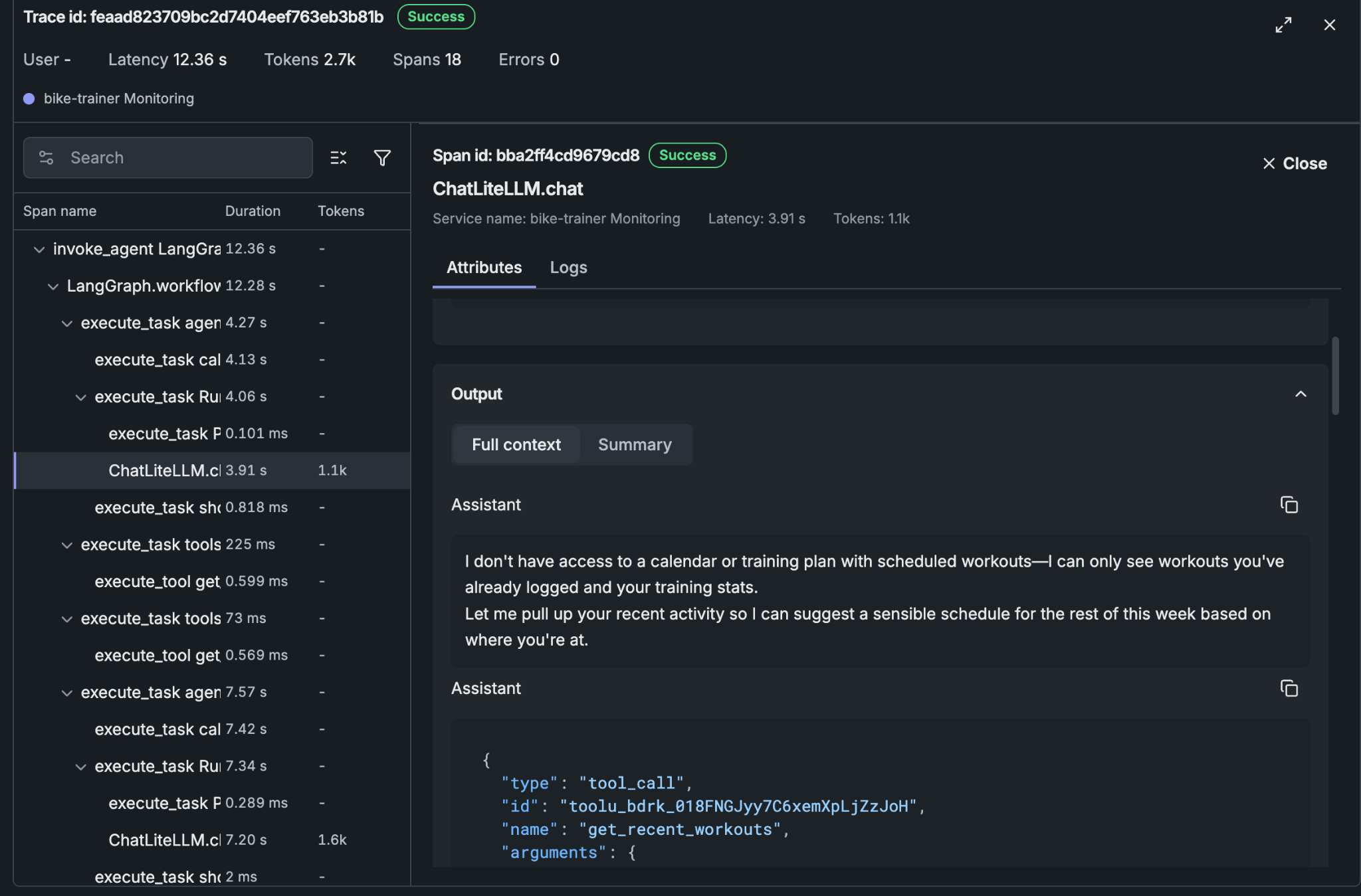
Instead, the agent responded with generic guidance:
2. **Build a week from scratch** - If you tell me a few things, I can sketch out a balanced week for you:

   - Your goal (general fitness, an event/race, building endurance, etc.)
   - How many days/hours you can train
   - Your current fitness level and any FTP you know

A solid general week might look like:

- **Mon** - Rest or easy recovery spin
- **Tue** - Intervals
- **Wed** - Endurance ride (zone 2)
- **Thu** - Recovery or rest
- **Fri** - Tempo/threshold work
- **Sat** - Long endurance ride
- **Sun** - Easy ride or rest
The trace made the gap between expected and actual agent behavior immediately actionable. This same pattern applies at enterprise scale: whether the agent is running on a laptor or in production on a cloud provider, DataRobot traces the full execution tree and surfaces what the agent actually did — not just what it said.
Get startedThe gap between an agent prototype and an agent in production is mostly operational context. Your coding agent writes the code. DataRobot supplies the observability layer and the governed deployment target. One plugin install, one skill execution â and you have production-grade trace data from the first run.
The post DataRobot for Developers — integrating with the Google Antigravity CLI appeared first on DataRobot.

